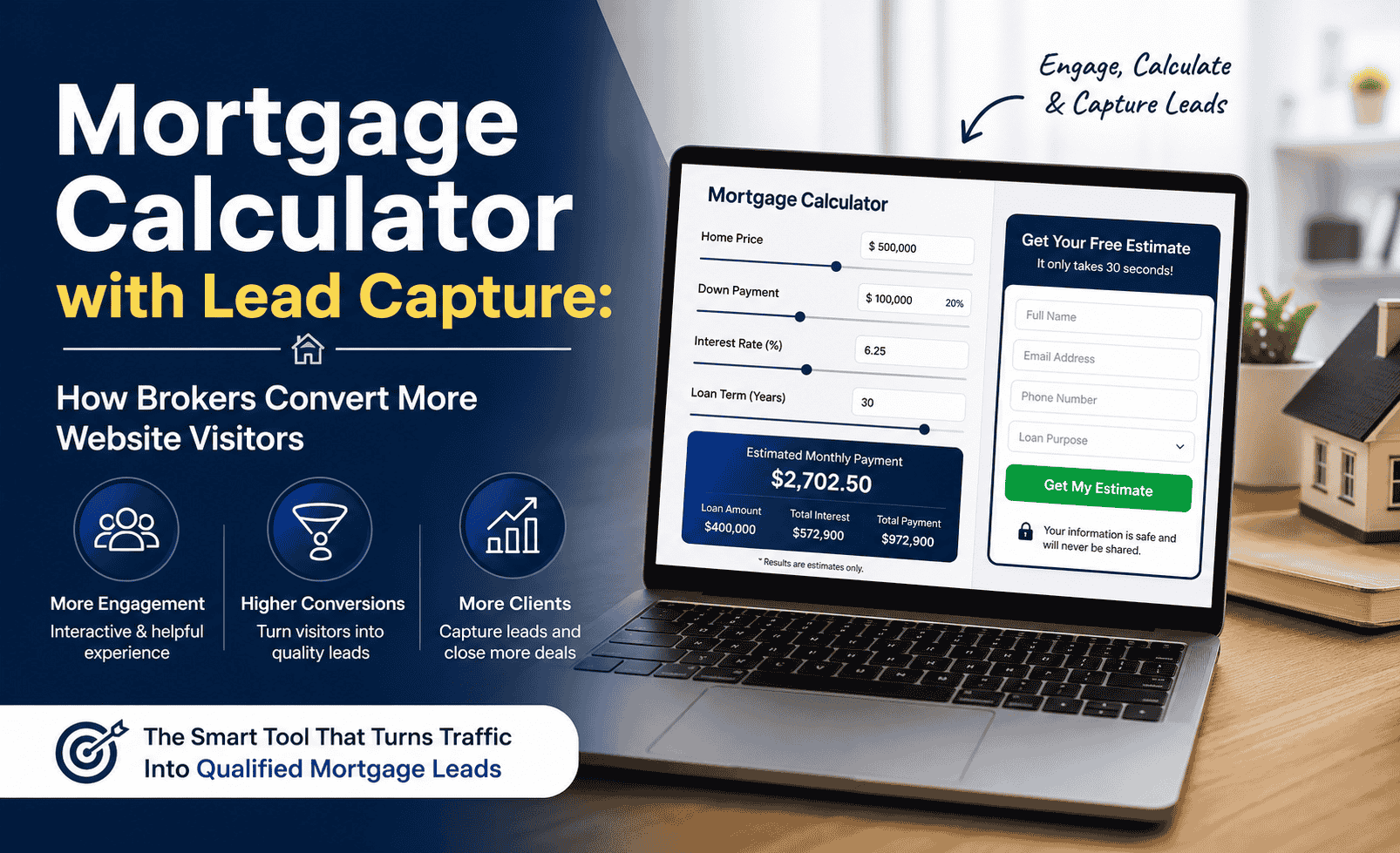
Every mortgage broker I’ve spoken to over the last couple of years has the same complaint: website traffic is there, but conversions aren’t. People land on the site, look around, and leave. The broker watches the Google Analytics session count tick up and the lead count stay flat.
Usually, the problem isn’t the traffic. It’s what happens to visitors after they arrive. And in most cases, it comes down to one thing. The website has no way to capture someone’s attention at the exact moment they’re ready to engage.
A mortgage calculator with lead capture solves this more directly than almost anything else a broker can add to their site. Not because it’s a clever marketing trick, but because it meets the visitor exactly where they are, mid-decision, running numbers in their head, trying to figure out if this broker is worth their time.
This article explains how that combination works, why it converts better than contact forms or general enquiry pages, and what mortgage brokers should actually look for when choosing one.
Why Calculators Convert Better Than Any Other Website Element
Most broker websites are built around static content. A homepage with a paragraph about services. An about page. A contact form. Sometimes a blog. The assumption is that if the content is good enough, visitors will reach out.
But here’s what that model misses: most people who land on a broker’s website aren’t looking for information. They already have information. They’ve been reading about mortgages for weeks. What they want, right now, is to see their own numbers, not generic examples, not rate tables, not “contact us for a quote.”
A mortgage calculator with lead capture answers that need instantly. The visitor enters their own figures, purchase price, deposit, loan term, and watches an actual monthly payment appear. That’s not just useful. It’s engaging in a way that paragraphs of text simply cannot be.
The dwell time effect matters beyond just leads. Google’s algorithm weighs how long visitors stay on a page as a signal of quality. A mortgage calculator with lead capture keeps visitors exploring scenarios, what if I put down more deposit? What if I stretched to 30 years? And that extended engagement directly improves how Google values the page over time. It’s a lead generation tool that doubles as an SEO asset.
The Difference Between a Calculator and a Lead Capture Calculator
This distinction is important, and a lot of brokers miss it when they first start thinking about adding a calculator to their site.
A standard calculator gives visitors a result. A lead capture calculator gives visitors a result and creates a natural moment to collect their contact details. That’s the whole difference, and it’s the difference between a helpful tool and a tool that actually grows your mortgage broker website leads.
There are three common ways lead capture is integrated into a calculator, and each has a different effect on conversion rate and visitor experience.
1. Email-gated results
The visitor enters their loan details, clicks calculate, and sees a prompt asking for their email before the full result is shown. This captures the most leads but creates friction. Some visitors will leave rather than hand over their details. Works best when the result being “unlocked” feels genuinely valuable, like a full amortization table or a downloadable breakdown.
2. Post-result capture
The calculation happens immediately, no barriers. Once the visitor has their result, a section below offers to email them a full breakdown, save their comparison, or get a personalised quote. The opt-in feels natural because the visitor is already engaged. This is the approach that tends to produce the best lead quality, even if raw volume is slightly lower than gated methods.
3. Optional side panel or persistent CTA
A “speak to a broker” or “get a personalised rate” CTA sits alongside the calculator. Visitors who want to go further can, without being interrupted mid-calculation. Low friction, lower capture rate, but the leads it does produce are typically very warm.
If your primary goal is volume, a gated or post-result form works well. If your primary goal is quality, talking to serious buyers only, a persistent optional CTA alongside a fully open calculator tends to self-select for the most motivated visitors. Most high-performing broker setups use a combination: open calculation, post-result email offer, and a visible “talk to a broker” button throughout.
What Visitors Actually Do When They Find a Good Calculator
It’s worth walking through the actual visitor journey, because understanding it changes how you think about where and how to deploy a mortgage calculator with lead capture on your site.
A couple in their early 30s found a property listed at $465,000. They have $70,000 saved for a deposit. They’re not sure whether to go 25 years or 30 years on the loan term, the difference in monthly payments matters to their budget. They’ve been comparing brokers online for the past week.
They land on your site. Within 15 seconds, they find a calculator. They enter their numbers. They try both loan terms. They see the difference: $180 per month. One of them says “that’s manageable.” They scroll down a little and see a box asking if they’d like a broker to run a full quote based on their situation. They enter their name and email.
You now have a qualified lead who already knows their numbers, has already emotionally processed the affordability question, and is genuinely ready to talk.
This isn’t a hypothetical. This is what happens on broker sites that have well-integrated lead capture calculators. The visitor self-qualifies through the tool. They arrive in your inbox already past the “are we in the right ballpark?” stage of the conversation.
Contrast this with the typical contact form lead, who may have no idea what their numbers look like and may require multiple touchpoints before they’re ready to proceed, if they proceed at all.
Where to Place Your Calculator for Maximum Lead Flow
Placement matters more than most brokers assume. A white label mortgage calculator buried three pages deep, accessible only through a “tools” menu, will capture a fraction of the leads that the same calculator would capture if placed prominently.
Here’s where placement actually makes a difference:
- Homepage, above the fold or one scroll down. This is the single highest-impact placement. Visitors who land on your homepage and immediately see a calculator are far more likely to engage with it than visitors who have to hunt for it. Not every broker wants a calculator as their hero element, but having it as the second thing a visitor sees converts extremely well.
- Dedicated landing pages tied to specific loan types. A page targeting “first-time buyer mortgage broker [city]” should have a mortgage calculator on it. A page targeting “refinance broker [city]” should have a refinance calculator. Matching the tool to the search intent of the page multiplies both SEO value and conversion rate.
- Blog articles about mortgage affordability, repayments, or rates. A reader who has just read a 1,200-word article about how to work out their borrowing capacity is primed to use a calculator. Embedding one at the end of relevant articles converts a content reader into a lead at the exact right moment.
- The contact page. Most broker contact pages are just a form. Adding a calculator above the enquiry form gives visitors one last chance to engage with their numbers before they ask to speak with you. It reduces the “I’ll think about it” exits significantly.
If you’re only going to place it in one location to start, put it on the homepage. Everything else is incremental from there.
What to Capture and What to Leave Alone
This is where a lot of broker calculator setups go wrong. The instinct is to ask for everything, name, email, phone, loan amount, property type, preferred contact time. The result is a form that feels like a mortgage application rather than a helpful offer, and visitors abandon it.
The goal of a lead capture form on a mortgage calculator is not to gather everything you’ll eventually need. It’s to get enough to start a conversation. Here’s what actually works:
| Field | Include? | Why |
|---|---|---|
| First name | ✓ Yes | Allows personalised follow-up, low friction to fill in |
| Email address | ✓ Yes | Your primary follow-up channel, most visitors are comfortable providing it |
| Phone number | Optional | Make it optional. Requiring it drops conversion rate noticeably. Some of your best leads will only give email at first. |
| Loan amount / property value | Pre-filled | Pull this from what they already entered in the calculator. Don’t ask them to type it again. |
| Message / notes | ✗ Skip | Adds friction with no meaningful benefit. You’ll get this in the conversation. |
| Preferred contact time | ✗ Skip | Too many fields. Handle this in the first follow-up email. |
The shorter the form, the more people complete it. Three fields, name, email, optional phone, is the sweet spot for most broker calculators. Once you have the email, you can gather everything else in a follow-up sequence.
Form Timing: Before the Result, After, or Optional?
This is a question I see debated endlessly, and the honest answer is: it depends on what you’re optimising for.
If you gate the result, you’ll capture more contacts, but a meaningful percentage of them will enter fake emails just to see the number. Those leads are worthless. You’re inflating your list with people who were never genuinely interested.
If you show the result first and then offer to email a full breakdown or save their calculation, the people who opt in are doing so because they genuinely want to continue the conversation. The volume is lower, but the quality is measurably higher. Brokers who track their close rates consistently report that post-result leads convert to actual clients at a much higher rate than gated leads.
The optional CTA model, where the calculator is fully open and a “speak to a broker” button sits nearby, produces the fewest raw leads but the warmest ones. These are visitors who actively chose to raise their hand rather than being prompted. They require the least follow-up and tend to close fastest.
Show the result immediately, no gate. Underneath the result, offer to email a full breakdown including amortization schedule. Keep the form to three fields max. Also place a persistent “get a personalised rate” button that’s always visible while the calculator is in use. This setup gives you volume from the email offer and quality from the persistent CTA, without the trust damage that gating causes. A white label mortgage calculator set up this way is the fastest route to better mortgage broker website leads.
Mortgage Calculator vs Contact Form: What the Data Shows
Most broker websites offer visitors two options without realising it: use a calculator or fill in a contact form. These aren’t equal choices. They produce different types of visitors, different quality leads, and different conversion rates. Here’s how they compare directly:
| Feature | Mortgage Calculator | Contact Form |
|---|---|---|
| Visitor engagement | High, interactive and personalised | Low, passive and generic |
| Time on page | 2-5 minutes average | Under 60 seconds |
| Lead quality | Pre-qualified, numbers-aware | Unknown intent, cold |
| User intent signal | Strong, entered real property data | Weak, typed a sentence |
| Conversion rate | Higher, visitor already invested | Lower, low barrier to submit |
| SEO benefit | Yes, improves dwell time | None |
| Follow-up effort needed | Less, lead arrives informed | More, starts from scratch |
A contact form isn’t useless, you still need one. But relying on it as your primary conversion tool means every conversation starts cold. A mortgage calculator with lead capture flips that: the visitor does the qualifying work before you ever speak to them.
Why Calculator Leads Are Different in Quality
I mentioned lead quality a couple of times already. It’s worth expanding on because it’s the thing that surprises brokers most when they first start tracking it properly.
A standard contact form lead is someone who typed “mortgage broker near me,” clicked your site, and submitted a form with four words in the message box. You have almost no information about where they are in the decision process. They might be six months from buying. They might be a renter who’s just curious. They might be a competitor doing research.
A calculator lead is different at a fundamental level. Before they submitted their details, they:
- Entered a real property value, which tells you they have a specific purchase in mind
- Entered a deposit amount, which tells you they’ve been thinking concretely about their finances
- Chose a loan term, which tells you they’re considering the commitment seriously
- Reviewed the monthly payment figure and decided to continue
That’s not a curious browser. That’s a buyer who has already done a self-assessment and decided the conversation is worth having. The calculator acts as a pre-qualification filter that does the work before you ever pick up the phone.
Brokers who make this switch often report spending less time on unproductive calls, not more time on sales. The ratio of conversations to clients improves because the conversations are starting from a better place.
Common Mistakes Brokers Make With Calculator Lead Capture
Having seen a lot of these setups, both on broker sites and finance tool pages more broadly, these are the mistakes that consistently reduce results:
Using a third-party widget without your own branding
When the calculator has someone else’s logo on it, or worse, a “Powered by [competitor]” label, it undermines the trust your site was building. Visitors notice. The whole point of having a white label mortgage calculator on your website is that it should feel like part of your service. A branded tool does this. A generic embedded widget doesn’t.
Asking for too much information in the form
Already covered this, but it’s the most common mistake. Five or six required fields will cut your conversion rate in half compared to three. Keep it short. Get more in the follow-up.
No follow-up system after the lead comes in
A calculator that generates mortgage broker website leads you don’t respond to quickly is worse than no calculator at all. Mortgage leads have a very short window of high intent. Someone who fills in a form at 7pm on a Tuesday is often ready to talk within 24 hours. If your first contact comes three days later, they’ve moved on. Even a simple automated email confirmation, “we received your enquiry and will be in touch within [X hours]”, makes a measurable difference in how many of those leads you actually connect with.
Placing it only on a hidden tools page
A calculator buried in your navigation menu gets a fraction of the traffic it should. If it’s a serious lead generation tool, and it is, it deserves prominent placement. Homepage, relevant landing pages, high-traffic articles. Don’t hide it.
Using inaccurate or outdated rate defaults
A calculator that shows completely wrong rate defaults damages trust. If a visitor runs their numbers, sees a monthly payment figure, then speaks to you and learns the real figure is significantly different, they feel misled, even if the tool clearly stated “estimated.” Keep your defaults realistic and update them when market rates shift significantly.
What a Good Setup Actually Looks Like
Let me describe what a well-configured broker calculator with lead capture actually looks like in practice, so you have something concrete to compare against.
- 1Clean, fast-loading calculator above the fold or one scroll from the top of the homepage. No slow iframes, no pop-up overlays before the visitor can see it. The calculator loads as part of the page.
- 2Your branding throughout. Your colours, your logo, your name. Nothing that signals “this is a third-party tool.” The visitor should feel like this is a service you built for them.
- 3Results shown immediately. Monthly payment, total interest, total cost of the loan. Optionally, a visual breakdown chart. No gate, no email required to see the basic result.
- 4A lead capture section below the result. “Want us to email you this breakdown?” or “Ready for a personalised rate? Let us know your details.” Three fields: name, email, optional phone. A clear submit button with copy that doesn’t say “Submit,” something like “Send Me This Breakdown” or “Get My Personalised Quote.”
- 5An immediate automated email response. Confirms receipt of their enquiry, includes a summary of the calculation they ran, and sets expectations for when they’ll hear from you. This is the email that feels like you were waiting for them.
- 6Lead data goes somewhere you actually check. Whether that’s your email inbox, a Google Sheet, or a CRM, the lead needs to arrive somewhere that triggers a real follow-up. Leads that fall into a void are worse than no leads at all.
That’s the whole system. It’s not complex. What makes it powerful is that each step is deliberate: the calculator earns trust, the form is frictionless, the follow-up is fast, and the lead arrives pre-qualified. Nothing about that process requires expensive software or a marketing team.
Getting Started Without the Technical Headache
The biggest reason brokers don’t have this set up is not cost or lack of interest. It’s the technical barrier. Most brokers aren’t developers. They don’t want to configure webhook integrations, fight with WordPress plugins, or deal with a tool that breaks every time the theme gets updated.
There are a few routes to take:
Build it yourself. Possible if you or someone on your team is comfortable with HTML and JavaScript. Time investment is significant if you want it done properly with lead capture, mobile responsiveness, and accurate calculations.
Use a generic plugin or widget. Options exist that can be embedded fairly easily, but most carry third-party branding, have limited customisation, and often charge monthly subscription fees. The calculator looks like it belongs to someone else’s brand, not yours.
Use a white label mortgage calculator service built specifically for broker sites. The calculator is built to your branding, includes lead capture connected to your inbox or a Google Sheet, handles mobile responsiveness, and installs directly on your WordPress site or any other platform. One-time fee, no ongoing subscriptions, no technical maintenance on your end.
Most brokers who go this route recover the setup cost from the first lead that converts. The calculator doesn’t need to produce dozens of leads to pay for itself. It just needs to produce one client that wouldn’t have enquired otherwise.
Ready to Add Lead Capture to Your Broker Website?
Get a mortgage calculator with lead capture that’s fully branded and connects leads directly to your inbox, zero ongoing maintenance required.
- No monthly fee
- Setup in 24-48 hours
- Works on any website