

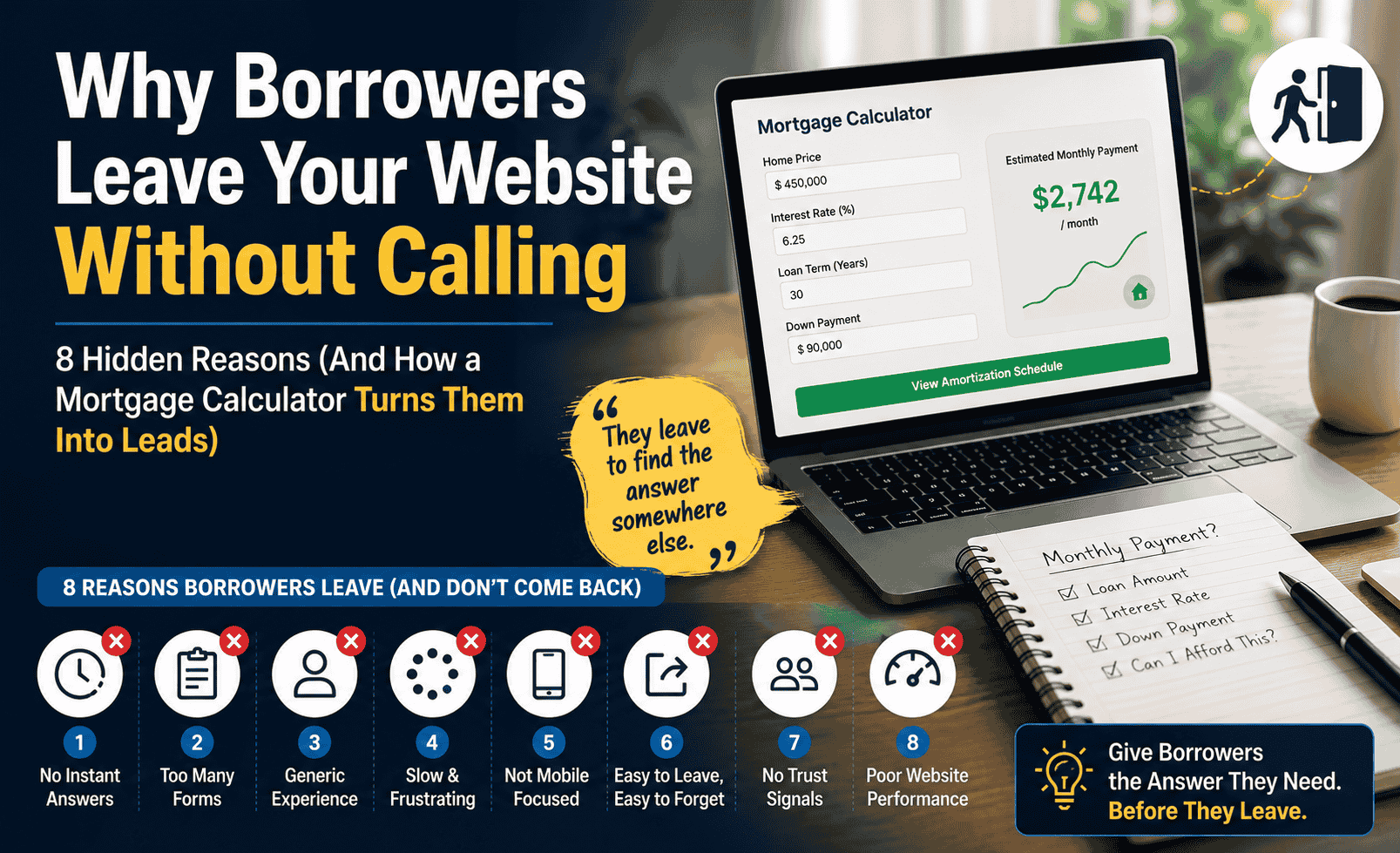
You invested in a website. You’re showing up in local search results. People are clicking through from Google, from referrals, from your social profiles. And then they leave. No call, no form submission, no chat message. Just a page view that turns into nothing.
This isn’t a traffic problem. Traffic is the easy part. What you have is a conversion problem, and it’s more specific than most brokers realise. Borrowers don’t leave mortgage websites randomly. They leave for specific, predictable, fixable reasons, and almost all of them come down to the same core issue: the website gave them no useful reason to stay.
This article breaks down the eight specific reasons mortgage website visitors leave without contacting you, what’s actually happening in each case from the borrower’s perspective, and what changes move the needle.
The Real Issue: Borrowers Are Researching, Not Ready to Call
The single biggest mistake mortgage websites make is being built for borrowers who are ready to apply, when the overwhelming majority of visitors are still in research mode. They’re not thinking “I need to call a broker right now.” They’re thinking “I need to figure out if I can afford this house.”
That’s a fundamentally different mental state. A research-mode visitor needs something to interact with, something that gives them personally relevant numbers. They don’t need your phone number front and centre. They need a tool that answers their actual question. If your website doesn’t give them that, they leave and find it somewhere that does. Usually Zillow or Bankrate, where your lead just became someone else’s.
The good news is that most of the reasons borrowers leave are fixable without rebuilding your website from scratch. They’re specific gaps in the visitor experience, and most of them can be addressed one at a time.
Reason 1: Nothing to Do on Your Site
A static website gives visitors nothing to do except read text and leave. Most mortgage broker sites are effectively brochures: a services page, a contact form, maybe some testimonials. None of that gives a borrower a reason to spend more than 30 seconds.
The borrower’s first question when they land on your site isn’t “who is this broker?” It’s something like: “Can I afford a $380,000 house on my salary?” or “What would my monthly payment be if I put 10% down?” If your site can’t answer that question interactively, right now, with their numbers, they will go find a site that can.
Interactive tools change this completely. A visitor who enters their income and debts into an affordability calculator and sees their personalised numbers has a reason to stay. They adjust inputs, they run different scenarios, they save the result. Session time goes from 45 seconds to 4 minutes. That’s not a small improvement. It’s the difference between a bounce and a real visit.
Reason 2: The Mobile Experience Is Broken
Pull up your website on your phone right now. Not on your desktop, not on a tablet. Your phone. Scroll down past your header. Where is your contact button? On most broker sites it’s either buried in a hamburger menu that borrowers rarely open, or it’s sitting below two full screens of content that nobody scrolls through on a phone. The borrower who wanted to reach out never saw the option.
That’s before we get to the rest of the mobile problems. Input fields sized for a mouse, not a thumb. A calculator that renders at desktop width and forces the user to scroll sideways just to see the calculate button. A phone number in the header that looks tappable but isn’t linked. Text that requires pinching and zooming to read. Each of these is a small frustration, and small frustrations on mobile add up to one thing: the back button.
Most broker sites were built on a desktop, previewed on a desktop, and approved on a desktop. Nobody tested them on an actual phone before publishing. So the site looks fine to the broker and terrible to the majority of their visitors.
The borrower researching during their lunch break or sitting in the school pickup line isn’t going to fight a broken layout. They’re going to close the tab and find a site that works on the device they’re actually holding.
Reason 3: No Answer to the Question They Came With
When someone types “how much house can I afford on $85,000 salary” into Google and clicks your site, they have a specific question. If your homepage shows your headshot, a tagline about your years of experience, and a contact button, you’ve answered the wrong thing. Their question was about numbers, not about you.
This mismatch between what the visitor wanted and what the page delivers is the most common cause of high bounce rates on mortgage sites. The visitor didn’t leave because your site was bad. They left because the page didn’t match their intent. From their perspective, it was the wrong page.
This is fixable at the content level without a redesign. A page that has an affordability calculator above the fold, with enough context around it to explain what it does, will hold a borrower who arrived with that specific question. The calculator gives them their answer. The page gives them a reason to stay for the next question.
Reason 4: Your Content Sounds Like Every Other Broker
Look at your homepage copy. Does it say something like “We offer competitive rates and personalised service for first-time buyers and refinancers”? Now look at the broker site that came up next to you in Google. Does it say something similar? And the one after that?
Borrowers in 2026 are more financially literate than any previous generation. They’ve already read several articles about DTI ratios before they found your site. They’ve compared loan programs. They understand the basics. When they land on a broker’s site that reads like a generic services pitch, it doesn’t stand out, it doesn’t build trust, and it gives them no reason to call you over anyone else.
The sites that convert have something to say that generic sites don’t. A useful article about what a $75,000 income buyer can realistically afford in your market. A clear, honest breakdown of FHA vs conventional and when each makes sense. A refinance calculator that shows the borrower whether their current rate is worth breaking. This kind of content signals expertise and builds trust in a way that “competitive rates and personalised service” simply never does.
Give Borrowers a Reason to Stay on Your Site
A branded mortgage calculator with lead capture, installed on your domain in 24 to 48 hours. Borrowers get their answers. You get their contact details. One-time fee, no monthly subscription.
See the Calculator Service →Reason 5: The Calculator Sends Them Somewhere Else
This one deserves particular attention because it’s both common and invisible to the broker. Many sites have a “Calculate Your Payment” button or link that sends the visitor to a third-party calculator on Zillow, Bankrate, or a bank’s website. The broker who added it thought they were helping their visitors. What they actually did was hand those visitors to their competitors at the exact moment of highest intent.
Here’s what happens when a borrower follows that link. Zillow shows them listings. Bankrate shows them competing lenders with affiliate relationships. Both platforms have their own lead capture systems, and your visitor just walked into one. The lead you paid for through SEO, referrals, or marketing spend is now in a competitor’s database, not yours.
When a borrower uses a calculator on Zillow or Bankrate, those platforms track that visitor with cookies and retargeting. For weeks afterward, that borrower will see ads from competing lenders across the internet. You sent them there, Zillow monetised them, and you got nothing. The cost isn’t just the lead you lost today. It’s the borrower who now gets served competitor ads for the next 30 days because you gave them to the platform.
Reason 6: Lead Capture Asks Too Much Too Soon
The typical mortgage broker contact form asks for name, phone number, email, loan amount, purchase price, credit score range, and sometimes income and debts. That’s an application, not a contact form. Asking a visitor for all of that before they’ve done anything on your site is asking them to trust you before you’ve given them any reason to.
Borrowers who are still in the research phase, which is the majority of your traffic, are not going to fill out a detailed form. They’ll leave. The form was designed for the rare ready-to-apply visitor and it actively repels the much larger group of research-mode visitors who need a different kind of entry point.
The counter-intuitive truth is that less friction up front converts more overall. A borrower who uses your calculator, gets their personal numbers, and then sees a simple “Get this calculation emailed to you” prompt with name and email only will convert at a much higher rate than the same borrower faced with a full application form before they’ve done anything at all.
Reason 7: Slow Load Speed Kills the Session Before It Starts
A borrower on their phone, on a decent mobile connection, who clicks your site from a Google result and waits more than 3 seconds for the page to load will hit the back button and try the next result. Google’s own research consistently shows that 53% of mobile visitors abandon a page that takes longer than 3 seconds to load. That’s not a small percentage of visits. That’s more than half your mobile traffic, gone before they ever see your site.
For mortgage broker sites, the common culprits are large uncompressed images in the hero section, excessive plugins, render-blocking scripts from analytics and tracking tools, and third-party widgets that load external resources. Each of these adds fractions of a second that stack up to a poor experience.
Page speed is also a Google ranking signal, which means slow sites get lower placement in search results on top of converting poorly from the traffic they do receive. It’s a compounding disadvantage.
Type your domain into Google PageSpeed Insights (pagespeed.web.dev). Run the mobile test. A score below 50 on mobile means you’re likely losing more than half your mobile visitors before they see a single word of your content. Scores above 70 on mobile are a realistic target for a well-optimised broker site.
Reason 8: No Clear Next Step After They Get What They Came For
Say a borrower lands on your site, finds your affordability calculator, enters their numbers, and gets a useful result. They now know they can afford roughly $310,000 based on their income and debts. This is exactly the outcome you wanted. They got something valuable from your site.
And then they close the tab.
The reason this happens isn’t that they didn’t find you helpful. It’s that the moment after engagement had no natural next step. The calculator result appeared, they noted the number, and there was nothing else pulling them forward. No prompt connected to the result. No “Want me to run the full numbers including current rates in your area?” No easy way to save the calculation or share it with their partner.
The exit after engagement is one of the most avoidable losses in the conversion funnel. The borrower was already engaged, already getting value, and already thinking about their specific situation. That’s the highest-intent moment in the entire visit. A well-placed, low-friction prompt at that moment converts a much higher percentage than any other point in the session.
What Actually Works: The Conversion Stack
Each of the eight reasons above is fixable independently. But they compound. A site that addresses all eight creates a fundamentally different visitor experience than a site that addresses none. Here’s what the full picture looks like when it’s working.
| Problem | What Borrowers Do | What the Fix Produces |
|---|---|---|
| Nothing to do | Leave in under 60 seconds | 4+ minute sessions, multiple page views |
| Broken mobile | Back button immediately | Full engagement on any device |
| Wrong content for their question | Bounce and find a different site | Visitor finds their answer and stays |
| Generic copy | No trust, no reason to call | Expertise demonstrated before first contact |
| Calculator links out | Lead captured by Zillow or Bankrate | Lead stays on your domain, captured by you |
| Heavy contact form | Too much friction, abandonment | Two-field prompt converts research-mode visitors |
| Slow load speed | Over half of mobile visitors bounce | Visitors actually see your site |
| No next step after engagement | Close tab after getting what they wanted | Contextual prompt converts at peak intent |
The highest-impact starting point for most broker sites is the calculator problem, specifically reasons 1, 3, 5, and 8. A properly built embedded calculator on your domain, with lead capture integrated into the result, addresses four of the eight problems simultaneously. It gives borrowers something to do, answers their specific question, keeps them on your domain instead of sending them to Zillow, and provides a natural next step when they finish.
Borrower arrives from Google searching “how much house can I afford $90k salary.” Your page has an affordability calculator above the fold. They enter their income, debts, and down payment. They see they can afford $295,000 to $325,000 depending on their debt load.
The result page shows a prompt: “Save this calculation and compare loan options for your situation.” They enter their name and email. You get a notification with their loan amount, income, and debt profile. They get a confirmation email from you with their numbers and your contact details.
What you have now: A warm lead who already trusts your site, already has their numbers, and has a reason to remember you when they’re ready to move forward. That’s a fundamentally different quality of lead than someone who clicked a generic contact form.
Stop Losing Borrowers at Every Step
A white-label mortgage calculator installed on your domain gives borrowers a reason to stay, answers their questions on your site, and captures their details at the moment they’re most engaged. One-time setup fee, no monthly cost, live in 24 to 48 hours.
Get My Calculator Installed →
